This knowledge base article explains how to remove the IR cut filter from your color camera.
You can use these procedures to remove the antireflective glass from mono cameras.
Supported camera families: Phoenix, Triton, Triton2, Triton10, Atlas, Atlas10
1. Remove the two screws at the front of your lens mount.
Phoenix

C-mount Phoenix front screw location

NF-mount Phoenix front screw location
Not applicable to S-Mount and No Lens Mount Phoenix models. These color models do not have an IR cut filter.
Triton
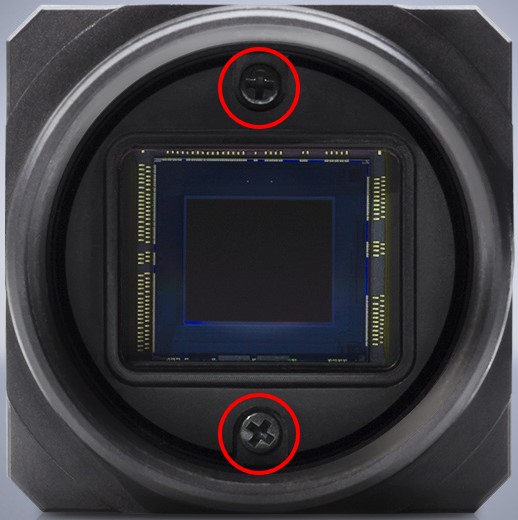
Triton front screw location
Atlas10 and Atlas
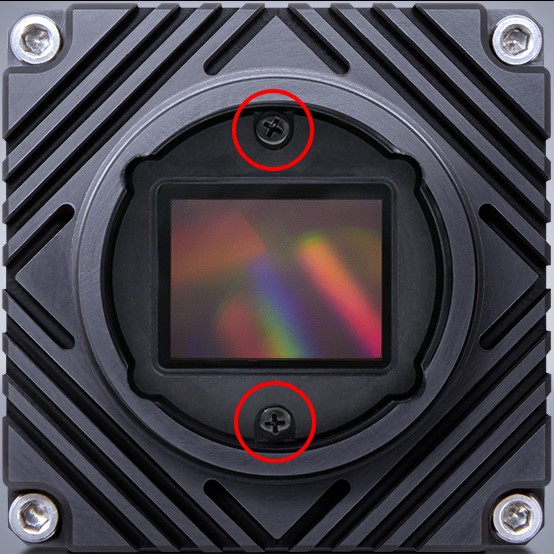
TFL-mount Atlas10/Atlas front screw location
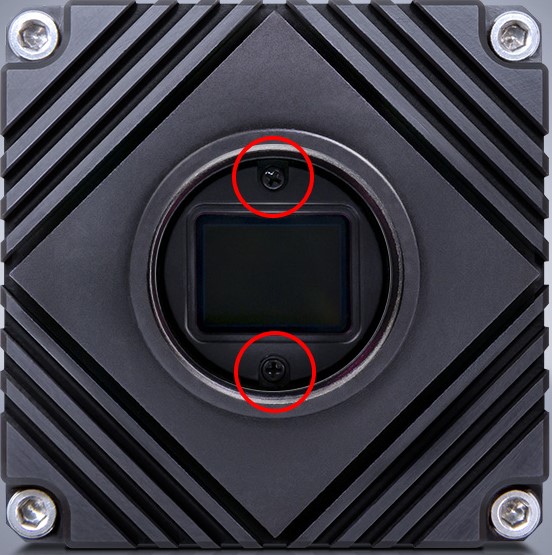
C-mount Atlas10/Atlas front screw location
Not applicable to No Lens Mount Atlas models.
2. Carefully remove the retainer, IR cut filter, and gasket.

Removing the IR cut filter will expose your camera’s sensor to dust or other debris. Do not remove the sensor cover window in front of your camera’s sensor. Removing this will damage the sensor and will void your warranty.
Reassembly
The order of re-installing the filter is the reverse order of disassembly.
- Place gasket on the filter pocket of the camera.
- Place the IR cut filter on the gasket.
- Install the plastic retainer and tighten with the two screws.